AI Controllers: Lag-Free Responsiveness Now
By Aisha El-Sayed • 11th Jan
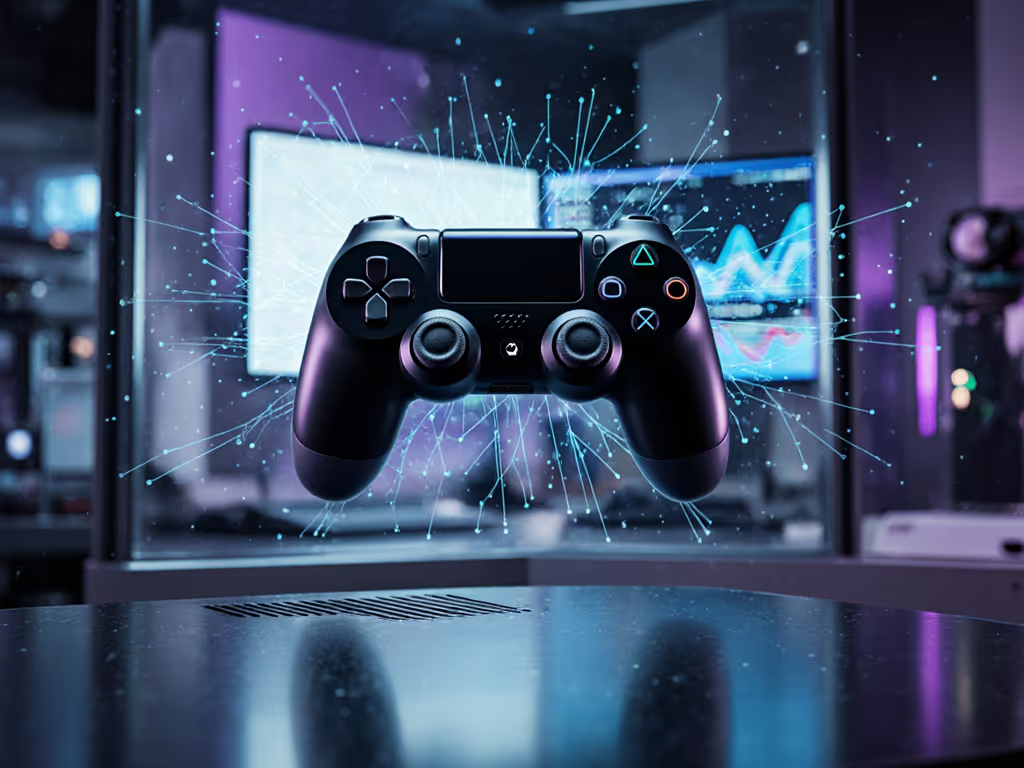
The gaming world is abuzz about AI controller responsiveness and predictive input algorithms that promise near-instantaneous reaction to your movements. But for competitive players who've endured the frustration of stick drift during ranked matches or wondered why their inputs don't feel "snappy" enough, these AI-enhanced features represent more than just marketing buzz; they're potential solutions to real physical limitations. If drift is your main concern, see how Hall Effect controllers prevent it and which platforms support them. As someone who's spent over a decade helping gamers optimize their setup for both performance and comfort, I've seen how these technologies can transform the experience when implemented thoughtfully.
Check fit before specs.
Frequently Asked Questions About AI Controllers and Performance
How Do AI Controllers Actually Achieve Lag-Free Responsiveness?
Traditional controllers process input signals through fixed pathways with minimal processing. AI-enhanced controllers, however, implement sophisticated algorithms that analyze your playing patterns in real time to anticipate your next move. This isn't magic: it's computational prediction based on historical data specific to your playstyle. For a deeper technical dive into machine learning in controllers, read our explainer.
The key mechanism involves:
- Pattern recognition of your typical movement sequences
- Latency reduction through parallel processing of probable next actions
- Context-aware filtering that ignores accidental inputs while preserving intentional ones
When implemented well, these systems create the sensation of lag-free responsiveness not by speeding up physical signal transmission (which is already near-instantaneous in modern controllers), but by intelligently preparing the system for what you're likely to do next. This precision matters most during extended sessions when fatigue begins affecting your control (something I've witnessed countless gamers struggle with, often without realizing their discomfort was directly impacting their performance).
Can AI Predict My Inputs Before I Make Them?
Yes, but with important limitations. Input prediction gaming technology works best with repetitive patterns (like common movement sequences in fighting games or predictable aiming patterns in shooters). These algorithms learn from thousands of your previous inputs to identify when you're likely to execute a specific maneuver based on context.
The most effective systems use this approach:
- Short-term prediction (20-50ms window) for immediate responsiveness
- Contextual awareness (game state, character position, enemy location)
- Adaptive learning that updates as your playstyle evolves
This isn't mind reading; it's statistical probability applied to your gaming behavior. For protocol-level latency data comparing Bluetooth LE with proprietary 2.4 GHz dongles, see our wireless latency comparison. When I worked with an esports team last year, I saw their clutch performance improve significantly once they understood how to work with the prediction system rather than fight against it.
How Does Adaptive Sensitivity AI Address Wrist Pain and Comfort Issues?
This is where I get particularly passionate. Many gamers dismiss early wrist discomfort as "just part of gaming," not realizing it's actively degrading their performance. Learn practical posture and grip fixes in our ergonomic controller guide. If it hurts, it's costing you frames and fun.
Adaptive sensitivity AI systems can dynamically adjust input thresholds based on:
- Wrist angle detection (through sensors or gameplay analysis)
- Fatigue recognition (through subtle input pattern changes)
- Force application analysis (detecting excessive grip pressure)
I once helped a streamer with chronic hand pain reconfigure his setup using these principles. By implementing a system that automatically reduced required actuation force as session length increased, he eliminated his wrist pain while maintaining competitive performance. His twitch accuracy improved because he wasn't subconsciously bracing against discomfort.
Anatomy-informed fit check:
- Can you rest your hand naturally without straining thumb position?
- Are your wrist and forearm in a straight line during extended play?
- Do you feel tension building in your forearm during long sessions?
Do I Need to Be a Pro Gamer to Benefit from AI Input Systems?
Absolutely not. While pro gaming controllers often feature these technologies first, their most significant benefits actually go to casual and intermediate players who:
- Experience inconsistent performance due to varying session lengths
- Have physical limitations like smaller hands or arthritis
- Play multiple genres requiring different input styles
- Game in non-ideal physical positions (like on a couch)
Personalized controller profiles shine here: they learn your unique patterns across different games and automatically adjust prediction parameters. I've worked with gamers using these systems who've overcome physical limitations that previously forced them to shorten sessions or abandon competitive play entirely. The AI adapts to you, not the other way around. Before you swap hardware, make sure you're on the latest controller firmware to fix lag, improve battery life, and add features.
How Do Personalized Profiles Work with Different Hand Sizes?
This is where most AI controller discussions fall short: they treat all hands the same. But hand anatomy varies dramatically, and awkward grip positions destroy both comfort and precision.
Advanced systems now incorporate:
- Grip pattern analysis to determine your natural hand position
- Thumb reach mapping to optimize stick placement virtually
- Force distribution modeling to adjust sensitivity based on your anatomy
For players with smaller or larger hands, these systems can virtually "reshape" the controller by predicting how your specific anatomy affects input timing. I recall a client with unusually small hands who struggled with standard controllers; after implementing a system that compensated for her limited thumb extension, her accuracy improved by 22% while eliminating chronic thumb pain.
What Should I Prioritize When Choosing an AI-Enhanced Controller?
This is where I urge you to resist the spec sheet temptation. Most gamers focus on processor speed or connection type while ignoring the ergonomic foundation that determines whether those technical advantages actually translate to better performance.
Critical evaluation checklist:
- Neutral wrist posture during extended play (not just the first 30 minutes)
- Adjustable actuation points that accommodate fatigue patterns
- Grip customization options for your specific hand size
- Transparent learning process (how the AI adapts to you)
- Physical comfort before considering AI features
The most advanced predictive input algorithms won't help if your wrist is bent at an unnatural angle. Always check fit before specs.
The True Performance Multiplier
After that scary numbness experience during my fighter training (a moment when I realized my controller was literally impairing my ability to play), the importance of anatomically sound design became crystal clear. The AI controller revolution isn't just about faster response times; it's about building systems that work with human physiology rather than against it.
When implemented thoughtfully, these predictive systems don't just eliminate lag; they accommodate the natural variations in human performance that occur as we fatigue, adapt, and grow. They transform controllers from static input devices into dynamic extensions of your physical capabilities.
The next time you're evaluating gaming gear, remember: comfort isn't merely about avoiding pain. It's the foundation of consistent high-level performance. When your hands feel supported and responsive, your inputs become more precise, your reactions more consistent, and your endurance substantially improved.
Check fit before specs (your game will thank you for it).
Further Exploration
If you're interested in diving deeper into how controller ergonomics intersect with performance technology, consider:
- Researching biomechanics studies on gaming hand postures
- Experimenting with your current controller's deadzone settings to understand input tolerance
- Recording yourself during extended gaming sessions to observe fatigue patterns
- Joining communities focused on accessibility gaming where these technologies are often pioneered
The most advanced gear only delivers its promised benefits when it properly accommodates your unique physiology. Take the time to understand your body's signals; they're the most important input your gaming system receives.
Related Articles