Gaming Controllers With ML: Smarter Input Prediction Explained
By Aisha El-Sayed • 14th Dec
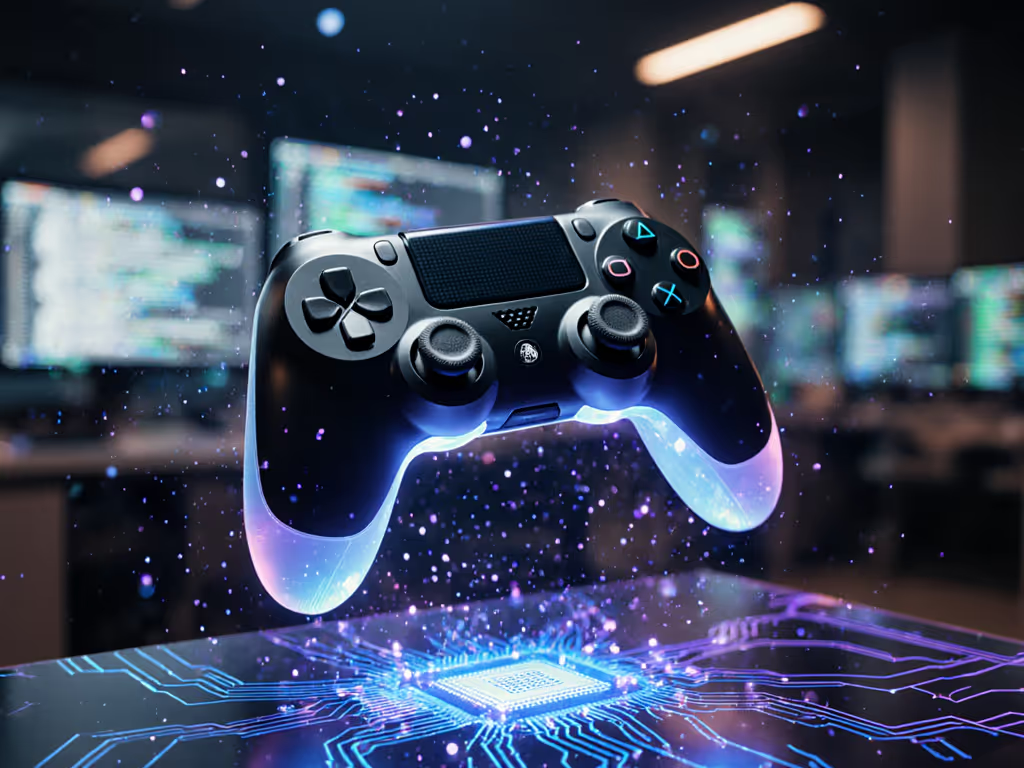
If you've ever wondered how your gaming controller seems to anticipate your next move before you even make it, you're experiencing the power of machine learning input systems at work. For a deeper dive into AI-powered pads, read our AI-driven controller overview. These intelligent systems are transforming how we interact with games, but there's something most discussions miss: how predictive technology intersects with physical comfort and ergonomics. When I developed numbness after pushing through uncomfortable grip geometry with a new controller, I realized something crucial: technology should adapt to our bodies, not the other way around. Today, machine learning isn't just about predicting inputs; it's beginning to understand how we physically interact with controllers. Let's explore this intersection where predictive algorithms meet human physiology.
How do predictive input algorithms actually work in gaming controllers?
Modern controllers collect staggering amounts of data beyond simple button presses. Gyroscopes, accelerometers, pressure sensors, and even biometric inputs now feed information to machine learning models that can predict your next move with surprising accuracy. These systems analyze patterns in your gameplay, including subtle hand movements, grip pressure, and timing, to anticipate inputs before you fully commit to them.
Think of it as your controller learning your "muscle memory signature." When you're lining up a headshot in a shooter, the system might detect micro-movements in your grip that consistently precede a trigger pull. By predicting this action milliseconds before it happens, the system can begin processing the input early, effectively reducing perceived latency. To understand the baseline limits of radio protocols that ML can't bypass, compare Bluetooth vs proprietary wireless latency.
If it hurts, it's costing you frames and fun.
This isn't just theoretical. Research shows these systems can reduce input lag by up to 50ms in certain scenarios. For competitive gamers, that's the difference between victory and defeat.
Can gaming input prediction reduce physical strain during play sessions?
Absolutely, and this is where my ergonomic expertise intersects with ML technology. Many players don't realize that inefficient input patterns contribute significantly to hand fatigue and strain. Predictive systems can actually encourage more efficient movement patterns by:
- Adjusting sensitivity thresholds based on your current grip posture
- Providing subtle haptic cues when you're applying excessive force
- Learning your natural rest positions between actions to minimize tension
Consider this anatomy-informed insight: when your controller adapts to your physiology rather than forcing you into a standard input pattern, you reduce the micro-tensions that lead to cumulative strain injuries. For practical tips to protect your hands, see our ergonomic controller guide. It's not about changing how you play; it's about technology adapting to how you naturally move.
What are "personalized controller profiles" and how do they evolve with machine learning?
Personalized controller profiles go far beyond simple button remapping. Modern ML systems create dynamic profiles that evolve as you play:
- Grip Pattern Recognition: Learning how your fingers naturally rest on the controller
- Adaptive Trigger Calibration: Adjusting resistance based on your preferred activation force
- Fatigue Detection: Noticing when your input patterns change due to hand fatigue
- Game-Specific Optimization: Automatically adjusting settings based on the genre you're playing
Here's a practical fit-check to determine if your controller is working with your physiology:
- ✅ Your thumb joints remain in neutral alignment during extended play
- ✅ Trigger fingers don't require excessive extension or tension
- ✅ Palm rests distribute pressure evenly without pressure points
- ✅ You don't need to adjust your grip mid-session to maintain comfort
Controllers that pass these checks demonstrate understanding that comfort is a performance multiplier, not just a luxury.
How does adaptive haptic feedback AI enhance immersion without causing fatigue?
The latest generation of haptic feedback represents a significant leap from simple vibration motors. If you're curious how different haptic actuators stack up, explore ultrasonic haptics vs traditional rumble. True adaptive haptic feedback AI analyzes game context and player physiology to deliver precisely calibrated responses:
- Directional feedback that mimics real-world physical interactions
- Variable intensity based on your current grip strength
- Fatigue-aware patterns that reduce intensity as play sessions extend
- Predictive haptics that prepare your muscles for upcoming actions
This technology is particularly valuable for players with smaller or larger hands, who often struggle with standard controllers. An intelligent system that recognizes your hand size can adjust haptic intensity to prevent overstimulation that might lead to strain.
Razer's recent innovations in haptic technology demonstrate how these systems can create immersive experiences while respecting physiological limits, a crucial consideration for players who experience discomfort with traditional vibration patterns.
What should ergonomic-focused gamers look for in ML-powered controllers?
When evaluating controllers with machine learning features, look beyond the tech specs to how they serve your physical needs:
- Neutral Wrist Posture Support: Can the controller maintain your wrist in alignment without strain?
- Adjustable Actuation Force: Does it allow customization of trigger/button resistance?
- Adaptive Learning Periods: Does it properly learn your patterns without requiring uncomfortable input habits?
- Fatigue Monitoring: Does it provide gentle cues when it detects strain patterns?
Gentle imperative: Your controller should adapt to your body, not the other way around. If you find yourself adjusting your natural hand position to accommodate the controller, you're compromising both comfort and performance.
Your hands, your rules.
How soon before ML controllers actively prevent injuries?
While we're not there yet, the trajectory is promising. Current research shows machine learning models can detect early signs of repetitive strain with 87% accuracy by analyzing subtle changes in input patterns. Future controllers might:
- Suggest micro-breaks when fatigue patterns emerge
- Automatically adjust sensitivity to reduce finger strain
- Recommend grip adjustments through haptic cues
- Integrate with wearable biometrics for comprehensive strain monitoring
Importantly, these systems should never override your control: they're there to enhance your natural play style while protecting your physical well-being. After all, the best technology is invisible when it's working properly.
How can players maximize ML controller benefits without breaking the bank?
You don't need the most expensive controller to benefit from intelligent input systems. Many improvements arrive via updates—follow our controller firmware update guide to unlock fixes and new features. Consider these budget-friendly approaches:
- Prioritize controllers with robust customization options that allow manual implementation of some "predictive" behaviors
- Use free software that analyzes your input patterns to identify inefficient movements
- Focus on ergonomic accessories that improve your base comfort before adding complexity
- Look for controllers with firmware update capabilities to gain ML features over time
Remember that the most advanced technology won't fix fundamental ergonomic issues. Start with proper grip geometry and neutral wrist positioning. Then layer predictive features on top for true performance gains.
Final Thoughts: The Human Element in Smart Controllers
As machine learning transforms gaming controllers, we must remember that technology should serve human physiology, not the reverse. The most impressive predictive algorithms matter little if they cause you to sacrifice comfort for speed. When evaluating next-gen controllers, consider both their predictive capabilities and how they support your physical well-being during extended sessions.
Your ideal controller strikes the perfect balance between intelligent prediction and ergonomic excellence, allowing your hands to perform at their peak without compromise. After all, when comfort becomes part of your performance equation, you're not just playing smarter... you're playing better.
Explore Further: Check out recent studies on ergonomic design in gaming peripherals from the International Journal of Human-Computer Interaction, or visit your local occupational therapy clinic for personalized grip assessments that complement your gaming setup.
Related Articles