Mobile Controller Ecosystems: Full System Comparison
By Aisha El-Sayed • 29th Oct
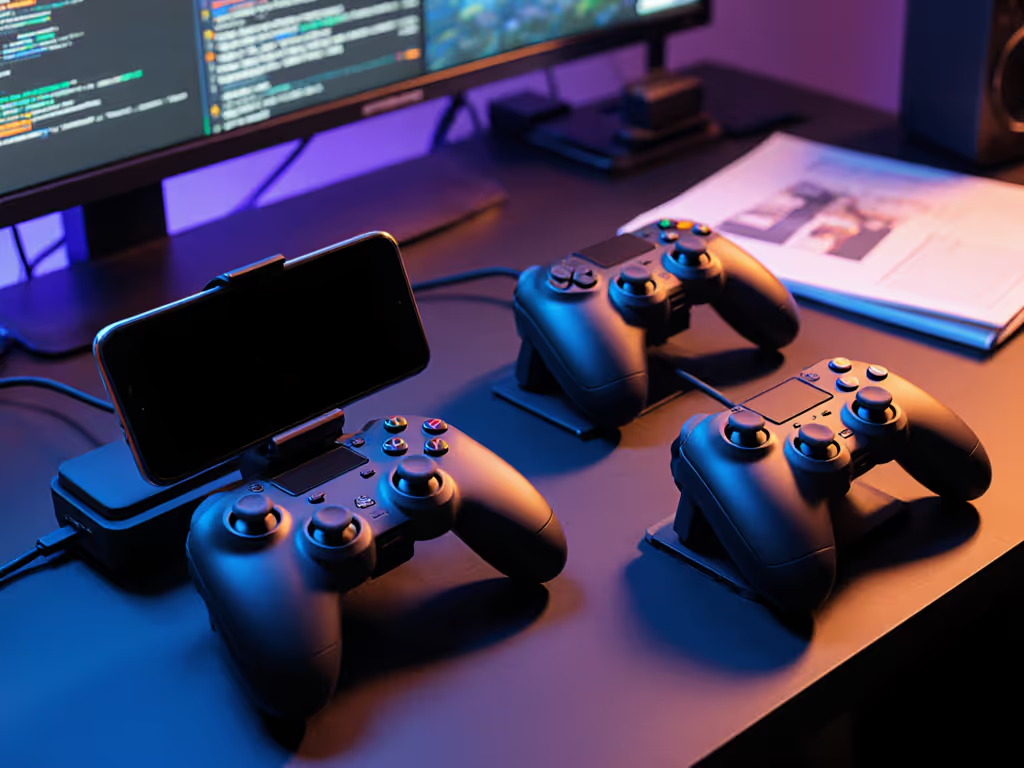
If you've ever felt that telltale wrist strain during extended mobile gaming controller sessions or experienced the frustration of a controller that simply doesn't fit right, you're not alone. As someone who has spent years researching how mobile controller accessories impact both comfort and performance, I've seen countless players sacrifice playtime because they settled for gear that worked against their natural hand anatomy instead of complementing it. This comprehensive comparison cuts through marketing hype to help you find the perfect match for your hands, your games, and your lifestyle.
Comfort buys consistency.
Let's dive into the most pressing questions surrounding today's mobile controller ecosystem, answered through the lens of ergonomic science and real-world testing.
Frequently Asked Questions About Mobile Gaming Controllers
What makes a mobile controller truly ergonomic beyond just "feeling comfortable"?
Ergonomics isn't about subjective comfort, it's about aligning with your natural hand posture to prevent cumulative strain. When your wrist maintains a neutral position (not bent upward, downward, or sideways), you reduce pressure on median nerves and tendons. The difference between a controller that supports neutral wrist alignment versus one that forces awkward angles can mean the difference between 2-hour sessions and 20-minute frustration.
Anatomy-informed checklist:
- Grip width should allow your pinky to rest naturally on the controller back without stretching
- Trigger reach must accommodate your finger length without forcing hyperextension
- Thumbstick placement should fall within your natural thumb sweep radius
- Overall weight distribution must prevent wrist fatigue during extended play
The Razer Kishi Ultra stands out with its console-grade ergonomics that distribute weight evenly across the palm.
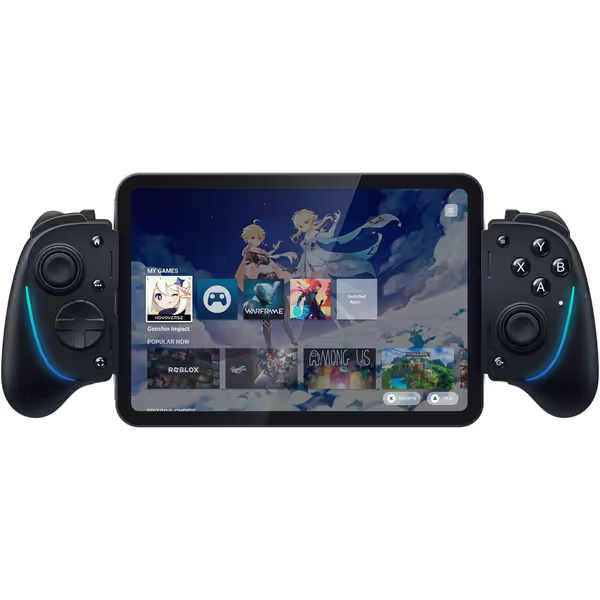
Razer Kishi Ultra Gaming Controller
Transform mobile gaming into a pro-level, immersive console experience.
$104.99
CompatibilityAndroid, iPhone 15+, iPad Mini (USB-C)
CompatibilityAndroid, iPhone 15+, iPad Mini (USB-C)
Pros
Full-sized ergonomic console controls with Hall Effect triggers.
Stream PC, Xbox, PS5 games with low latency on mobile/tablet.
Razer Chroma RGB & Sensa HD Haptics (Android/PC).
Cons
Haptics/Chroma RGB not supported on iOS.
Mixed feedback on phone fit and value for money.
Customers find the gaming controller to be a solid Android device with responsive buttons and a feel that resembles a regular gaming controller.
Customers find the gaming controller to be a solid Android device with responsive buttons and a feel that resembles a regular gaming controller.
Its sculpted grip accommodates a wider range of hand sizes than most competitors, making it particularly valuable for players with larger hands who often struggle with cramped feeling on mobile controllers. Meanwhile, the GameSir X5 Lite offers exceptional balance for its weight class, with laser-engraved textured grips that prevent slippage without requiring excessive grip force. For model-by-model picks across iPhone and Android, see our best mobile gaming controllers guide.
How do I choose between sliding and standalone controllers for my specific gaming needs?
This decision hinges on your play patterns and pain points:
Sliding controllers (like Razer Kishi and Backbone One) shine when:
- You prioritize portability and immediate readiness
- You use your phone as the primary display
- You experience frustration with Bluetooth pairing delays If pairing or compatibility issues persist, use our Bluetooth controller pairing and latency guide for cross-platform tips.
- You need to play while charging (passthrough charging is standard)
Standalone controllers (like GameSir X5 Lite) excel when:
- You stream to tablets or larger secondary displays
- You switch between multiple devices (phone, PC, Switch)
- You've struggled with phone compatibility issues
- You need adjustable grips for different hand sizes
From an ergonomic perspective, standalone controllers often provide more flexibility for maintaining neutral wrist posture since they don't force your hands into the constrained geometry of holding a phone. However, sliding controllers minimize the "wrist extension" position that causes so many players discomfort during extended sessions.
What features actually impact competitive mobile gaming performance?
While flashy RGB lighting might grab attention, these often-overlooked elements genuinely affect your performance:
Critical performance factors:
- Input latency (below 30ms for competitive play) For streaming scenarios, see our cloud gaming latency tests to find controllers optimized for Xbox Cloud Gaming and GeForce Now.
- Button actuation force (45-70g ideal for rapid inputs)
- Trigger linearity (consistent response throughout press)
- Stick dead zones (adjustable in software prevents drift compensation)
Hall Effect technology (featured in both the GameSir X5 Lite and Razer Kishi Ultra) eliminates the physical contact points that cause stick drift and inconsistent input values. This isn't just a longevity feature, it creates more reliable input registration that competitive players need when every frame counts. The GameSir X5 Lite implements this at a remarkable price point, making precision accessible without breaking the bank.
Players with previous injury experiences recognize that inconsistent inputs force them to overcompensate, creating secondary strain patterns. When your controller responds predictably, you relax, freeing mental bandwidth for actual gameplay rather than input anxiety.
How can I solve battery anxiety without compromising portability?
"Controller battery solutions" rank among top concerns for mobile gamers, especially when your controller dies mid-raid or match. Consider these approaches:
Power management strategies:
- Passthrough charging (built into most sliding controllers) lets your phone power the controller indefinitely
- Modular battery systems (like those in pro controllers) allow quick swaps
- Low-power Bluetooth modes extend battery life for casual play
- Wired connections eliminate battery concerns entirely
Most mobile controllers cleverly avoid dedicated batteries by drawing power from your phone, which explains why you rarely see "controller battery solutions" needed for sliding designs. However, standalone controllers require different approaches. The GameSir X5 Lite uses a small internal battery that lasts approximately 20 hours, with quick recharge times minimizing downtime.
Remember: if your controller requires frequent recharging, it's costing you frames and fun. Consistent power delivery prevents the subtle input lag that occurs as batteries deplete.
Which mobile controller options accommodate extreme hand sizes without compromising performance?
Hand size dramatically impacts controller suitability, yet most manufacturers design for an "average" hand that doesn't reflect reality. Consider these fit considerations:
For smaller hands (below 7 inches fingertip to wrist):
- Look for controllers with shorter reach between sticks and face buttons
- Prioritize adjustable grips or removable extensions
- Avoid controllers where the shoulder buttons require extreme finger stretching
For larger hands (above 7.5 inches fingertip to wrist):
- Seek wider grips that let your palm rest naturally
- Ensure triggers have sufficient travel depth
- Verify thumbsticks aren't positioned too close together
My own experience with numbness after extended sessions taught me that comfort isn't a luxury, it's capacity. When I switched to a controller with appropriate width and lighter actuation force, both my pain disappeared and my execution improved. This isn't coincidence; when your body isn't fighting your gear, you perform at your natural level.
The Razer Kishi Ultra's wider grip profile provides crucial support for larger hands, while its textured grips prevent the "white-knuckling" that smaller-handed players often resort to. The GameSir X5 Lite's more compact design suits smaller hands without sacrificing the reach needed for proper thumb positioning.
What's the smart approach to budgeting for mobile controller accessories without wasting money?
The "paradox of choice" hits hard in this market, but these evidence-based guidelines help avoid costly mistakes:
Smart investment checklist:
- Identify your primary pain point (comfort, reliability, features)
- Prioritize repairability (replaceable sticks/pads extend lifespan)
- Verify compatibility with your specific phone model and case
- Test return policies before finalizing purchase
You don't need the most expensive controller to get good ergonomics. The GameSir X5 Lite delivers Hall Effect technology and thoughtful ergonomics at a fraction of premium controller costs, making it an exceptional value for budget-conscious players who refuse to compromise on quality. The Razer Kishi Ultra justifies its higher price with premium materials, advanced haptics, and build quality that withstands daily use.
Consider total cost of ownership: replacing a $30 controller annually costs more long-term than investing in a $100 controller that lasts five years. For a deeper breakdown, read our budget vs premium controller cost analysis. Budget constraints are real, but strategic spending prevents repeated investments in gear that doesn't solve your core issues.
Making Your Choice Without Regret
The right mobile gaming controller transforms your experience from physically taxing to effortlessly immersive. When you prioritize neutral wrist posture and appropriate sizing (not just specs and features), you unlock longer sessions, better performance, and genuine enjoyment.
As you evaluate options, run this quick self-assessment before purchasing:
Ergonomic fit check
- Can you rest your hands without tension after 10 minutes?
- Do your thumbs naturally align with stick centers?
- Can you reach all inputs without finger cramping?
- Does the controller feel like an extension of your hands?
Comfort buys consistency. Period. When your controller disappears into your muscle memory rather than fighting against it, you're not just gaming, you're performing at your natural level. Whether you choose the premium ergonomics of the Razer Kishi Ultra or the exceptional value of the GameSir X5 Lite, prioritize how it feels over how it's marketed.
Related Articles